New HD Grand Pianos for Dimension Pro and LE [updated]

Dimension Pro Expansion Packs

[Update: We have corrected an issue that was preventing some customers from purchasing. We apologize for the inconvenience.  Please try again and enjoy!]

Save $50 off new HD Grand Pianos from Digital Sound Factory
Based on the success of the HD Songwriters Collection, Digital Sound Factory brings two new grand pianos to Dimension Pro/LE in High Definition. Using high quality microphones and preamps, multiple layers were recorded at 24-bit resolution to capture the full dynamic range. As a result of this process, the samples are perfectly matched, sound great, and are free of artifacts. With a natural sounding wooden resonant tone and very long sustain, these pianos are the ultimate addition to Dimension Pro.

Choose from two studio quality grand pianos – just $99.95 each for a limited time:
HD Steinway Grand Piano


HD Yamaha Grand Piano

First-class upgrades happening in June

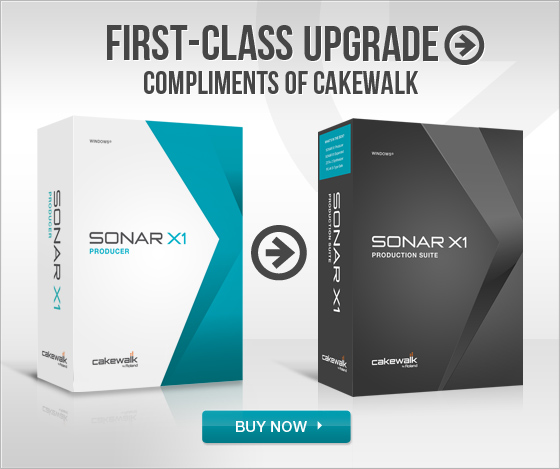
First-class upgrade

From June 1st to June 30th, when you buy or upgrade to SONAR X1 Producer, Cakewalk will automatically bump you up to the flagship version, SONAR X1 Production Suite. Just purchase SONAR X1 Producer from any retailer or upgrade at the Cakewalk Store, and Cakewalk will take care of the rest. Just register your purchase at www.cakewalk.com/register, and you will receive email instructions on how to get your first-class upgrade to SONAR X1 Production Suite.

In addition, Cakewalk is offering other great upgrades in the month of June.

  • Buy or upgrade to SONAR X1 Essential, get SONAR X1 Studio for free
  • Buy or upgrade to SONAR X1 Studio, get SONAR X1 Producer for free

Visit the First-class upgrade page for more information

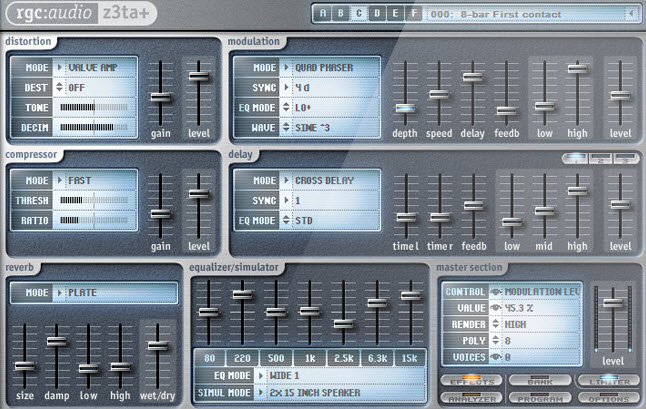
Mixing and Mastering a Song Using only the Z3TA+ Effects Engine in SONAR

One of the great aspects about SONAR X1 is that it’s a very diverse D.A.W.  There are so many different ways to create music and it’s great for people who like to experiment with sounds and develop unique sonic pallets.  One of the main reasons why many pro users choose SONAR is because there are a lot of veiled jewels and tools that help musicians to sculpt a unique and individualized sound.

Similar to the Beatscape Content articles that were posted, I decided to dive into another one of my favorite hidden treasures of SONAR of which some people may not be aware; the pristine and fat FX engine of Z3TA+ that can be used as a standard VST effects unit.

When I first started using SONAR I loved the fact that it came with so many great VST plugins.  It wasn’t until 6 months into using the program when someone pointed out to me that you could use the Z3TA+ synth as an actual VST effect anywhere you use regular plugins – on clips, in bins, on busses… etc.  After dragging Z3TA+ onto a track I was instantly surprised at what I heard. Continue reading “Mixing and Mastering a Song Using only the Z3TA+ Effects Engine in SONAR”

How to make modern music with samples, sequenced drums, and synths – A SONAR Master Class

Modern music production combines many different elements. Loops and samples, sequenced drums and synths, live instruments and more. In this video, you can sit in on a session where all of these elements are used to create a piece of music from start to finish with SONAR X1 Producer.

Pull up a chair, crank up the volume and see just how easy and fun it is to create music when the inspiration strikes using SONAR! After watching the video, download the content pack which includes the Track Templates and presets used in this project.

Continue reading “How to make modern music with samples, sequenced drums, and synths – A SONAR Master Class”

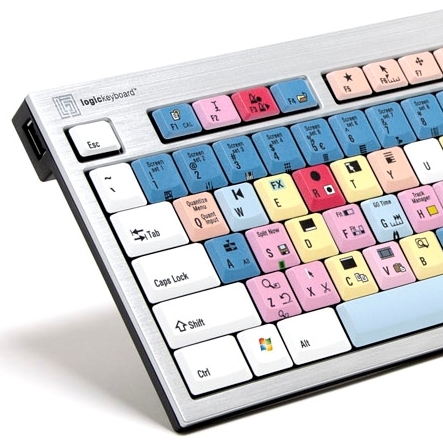
Keyboard Shortcuts and the SONAR X1 LogicKeyboard


Keyboard Shortcuts are at the heart of any DAW’s workflow, and SONAR X1 is no exception. And the QWERTY keyboard is still the central way in which we use those shortcuts and interface with our DAWs in general.

Traditional keyboards aren’t labelled for anything other than a particular language. However, the custom made, slimline, SONAR X1 LogicKeyboard has SONAR’s default Keyboard Shortcuts printed right onto its 125 multi-colored keys.

When we designed SONAR X1 we took many of the old, not-so-logically organized Shortcuts, threw them onto the table, and reorganized them into Shortcuts that we thought would be not only easier to remember, but also into groups of like Shortcuts that go together, which we call Key Clusters.

Continue reading “Keyboard Shortcuts and the SONAR X1 LogicKeyboard”

Congrats to SONAR User Bobbi "Funkee Boy" Tammaro who Hit the Billboard Charts from his Home Studio

Congratulations to Bobbi Tammaro (aka “Funkee Boy”) who is seeing some great Billboard charting success with his new self-produced/mixed full-length album titled “Philosoulphy” which was created entirely in SONAR.  The album is also currently the #1 most selling Smooth Jazz CD in the world on CDBABY.COM.  Bobbi has an interesting SONAR story and is also a great example of the sign of the times in the modern day music industry.

For a long time, Bobbi was that guy behind the scenes; the guy that created, as well as put together great music for other major artists such as Tadros, Tenderoni and Leila.  Exclusively using SONAR, he also found his way to mainstream song-placement success on shows such as Continue reading “Congrats to SONAR User Bobbi "Funkee Boy" Tammaro who Hit the Billboard Charts from his Home Studio”

How to Record Music on a Windows Computer – A Free Video Guide

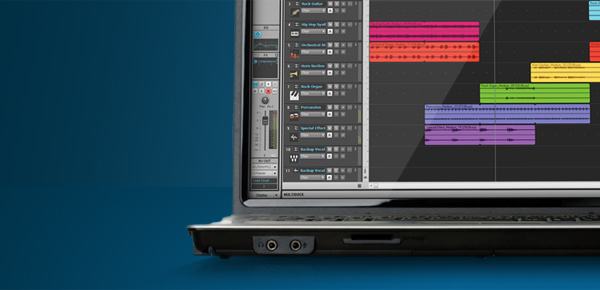
Recording and making music on your computer can seem overwhelming when you are just getting started. You have the musical ideas in your head but you need to get them down and into a finished song format. This post will walk you through device setup, recording audio, playing virtual instruments, working with loops, and more.  But first let’s go through some questions and make sure you have all the ingredients to begin recording.

Record music on a Windows computer

What do I need to create high quality recordings on my Windows computer?

The simple answer is that you will need three basic things to begin building a Windows based computer recording system.

  1. A relatively new and well performing computer.
  2. An audio interface or a high performance computer sound card.
  3. The version of Cakewalk music recording software that fits your needs.

 *****

Is my Windows computer good enough for recording music and audio?

Cakewalk recommends the following minimum system specs for Continue reading “How to Record Music on a Windows Computer – A Free Video Guide”